Why do some superstitions and myths linger? Is it because they have some kernel of truth that will help guide us through an uncertain and increasingly complex world? Or is it because they sound like an easy-to-understand truth, that explains life's complexities in a way that makes it easy for us to justify otherwise irrational actions? Always influencing our decisions, yet threatening to undermine our intentions because of their inherent lack of scientific merit? In the case of the concept of Learning Styles, I fear it is the latter option. The spectre of "learning styles," and its proclaimed "importance" as a consideration in instructional design, continues to loom over education systems -- despite well-informed entreaties to abandon the myth in favor of evidence-informed decision-making. I recently asked a group of graduate-level education students to draft position papers on their personal teaching philosophies with respect to the integration of educational technology. We had spent the first few weeks of the course discussing the core competencies of Instructional Designers, and exploring a range of key learning theories. Not once in the course readings were Learning Styles included as a fundamental concept. Yet... the concept has popped up in Tweets using the course hashtag, and in a number of students' teaching philosophy statements. I don't normally discuss Learning Styles in my courses, because they are not only unproven -- they are disproven. Corporal punishment was once also considered acceptable in schools. But -- unlike corporal punishment -- the myth of Learning Styles remains so pervasive in schools, colleges, and universities, that I feel I would be remiss if I didn't address it in some way. If the brilliant and creative educators whom I have the privilege of collaborating with every day are being affected by this insidious myth, then I feel I should at least give them some "food for thought" -- some fuel for a healthy debate, rather than letting blind acceptance of something that has been "debunked" continue unchecked. I am not a neuroscientist, and there are plenty of reputable authors who have commented on this topic more eloquently than I could... so I will not pontificate. I will summarize a few key points, and point to some of these excellent resources that every instructional designer, practicing educator, and education student should take the time to read. What is the Learning Styles Myth?As Donald Clark (2016) noted, Learning Styles are distillations of myriad learning theories into "simple models... which are simplistic, easy to learn, easy to put on a training Powerpoint slide, and easy to explain." They distill complex learning theories into simple categories of how students "learn best," focusing on their preferred modes of receiving and interacting with learning content. Learning-styles-online.com (n.d.) list the following seven categories, with which I'm certain most educators are familiar: What's Wrong with These Learning Styles?As Clark (2016) laments, "they are represented as researched, evidenced and science, when they are not." Clark has published a number of blog posts discussing the lack of science behind the Learning Styles myth and the reasons why it is still so (alarmingly) pervasive, which are well-worth reading:
Likewise, Steven Wheeler (2011) posted an excellent summary of what he called A Convenient Untruth. Some Key Points from Clark, Wheeler, and the many academic sources they cite (which include both neuroscientists and educational researchers):
The gist of a recent Tweet by one of my graduate education students (while sharing a link to an article from Forbes (McCue, 2019) espousing the importance of Learning Styles) was that incorporating them into instructional decision-making helps more students to achieve learning goals, because we'll hit more of their preferred "styles." Without getting into too much science -- targeting Learning Styles preferences should not be the focus. But, there is evidence-based merit to incorporate a variety of teaching and learning approaches. Such variety increases engagement, because it reduces the "normalization" of instructional presentation. In other words, it prevents desensitization to the presentation format. It also peaks learners' interest -- ALL learners, not just those who prefer one "style" over another. Boredom can take students out of the engagement zone talked about in Flow theory (Learning-theories.com, n.d.)! Then, there's also the benefit of multi-modal, or multi-channel reception of content (Mareno & Mayer, 2000; Quinette, et al., 2003; Zheng, 2009) . Evidence has shown that information presented through multiple modes -- targeting multiple senses -- is better understood, and better encoded into long-term memory. Long story short -- there are plenty of valid, rigorously tested learning theories and models that we should be considering when making instructional design decisions. There are plenty of reasons to incorporate variety in how we present material, and expect our students to interact with it. There is not only NO need to rely upon over-simplified models that sound good (but lack evidence) -- reliance on such models leads us astray from informed decision-making (and potentially risks us making harmful instructional decisions). ReferencesClark, D. (2010, February 15). Learning Styles - final nail in coffin? [Web log post]. Donald Clark: Plan B. Available from http://donaldclarkplanb.blogspot.com/2010/02/learning-styles-final-nail-in-coffin.html
Clark, D. (2016, October 8). 7 reasons why teachers believe, wrongly, in ‘Learning Styles.' [Web log post]. Donald Clark: Plan B. Available from http://donaldclarkplanb.blogspot.com/2016/10/7-reasons-why-teachers-believe-wrongly.html Clark, D. (2018, June 16). University faculty believe in Learning Styles and promote it to students while their Teacher Training departments say it's a myth. [Web log post]. Donald Clark: Plan B. Available from http://donaldclarkplanb.blogspot.com/2018/06/university-faculty-believe-in-learning.html ClipartXtras (n.d.). Chalkboard. [Image file]. Available from https://clipartxtras.com/categories/view/de245518959d7fb4318c464ae3016506010232ea/chalkboard-clipart-transparent.html Kisspng (2019). Chalkboard eraser. [Image file]. Available from https://www.kisspng.com/png-chalkboard-eraser-blackboard-sidewalk-chalk-2228618/download-png.html Learning Styles Online (n.d.) Overview of Learning Styles. [Web page]. Available from https://www.learning-styles-online.com/overview/ Learning-theories.com (n.d.) Flow (Csíkszentmihályi). [Web page]. Available from https://www.learning-theories.com/flow-csikszentmihalyi.html Mareno, R. & Mayer, R. E. (2000). A learner-centered approach to multimedia explanations: Deriving Instructional Design principles from Cognitive Theory. Interactive Multimedia Electronic Journal of Computer-Enhanced Learning, 2(2). http://imej.wfu.edu/articles/2000/2/05/index.asp McCue, T.J. (2019, January 30). How Combined Learning Style Not Just Visual Or Kinesthetic Can Help You Succeed. [Web log post]. Forbes. Available from https://www.forbes.com/sites/tjmccue/2019/01/30/how-combined-learning-style-not-just-visual-or-kinesthetic-can-help-you-succeed/#5f329857d9cc PlusPNG (2019). Regular Zombie. [image file]. Available from http://pluspng.com/png-7866.html Quinette, P., Guillery, B., Desgranges, B., de la Sayette, V., Viader, F., & Eustache, F. (2003). Working memory and executive functions in transient global amnesia. Brain 126(9), 1917-1934. Available from https://doi.org/10.1093/brain/awg201 Wheeler, S. (2011, November 24). A convenient untruth. [Web log post]. Learning with 'e's. Available from http://www.steve-wheeler.co.uk/2011/11/convenient-untruth.html Zheng, R. Z. (2009). Cognitive effects of multimedia learning. [PDF file]. Hershey, PA: Information Science Reference. http://www.sci.sdsu.edu/CRMSE/personal_pages/sreed/Manipulating_Materials.pdf
1 Comment
I teach a number of courses that focus on different aspects of instructional design for online learning. One thing that I always like to emphasize is the importance of "humanizing" the online learning experience. Too often, students (and instructors) complain about the loneliness and isolation of being in an online course. If it feels that way, then the principles of creating a Community of Inquiry have not been considered during the instructional design process! The Community of Inquiry framework (Athabasca University, 2016; Garrison, Anderson & Archer, 2001) tells us that we need to facilitate three key "presences" in order to set up an effective online learning experience:
Even before we enroll students into our online courses, we need to put careful thought into how we are going to foster these presences (and how they will interact with each other). This is part of the "Teacher Presence" aspect. Another important part of the Teacher Presence aspect is just actually letting your students know that you are there, and helping them get to know you as a person. As Pacansky-Brock (2015) explains, this is the "Secret Sauce" to help your students feel welcomed! One activity that I have engaged some of my instructional design students in aims to maximize Teacher Presence from the very first moments that students enter into an online course. Greet Them at the Door!First impressions are as important when teaching online as they are in a face-to-face classroom. Unfortunately, online teachers don’t usually have the opportunity to physically greet their students at the door. But that doesn’t mean you can’t introduce yourself, and personally welcome your students to your course. Creating an online Instructor Introduction or Course Welcome video is a great way to establish teacher presence, and inspire and motivate your students from the moment they first login to your online course. Dwayne Reed’s Welcome to the 4th Grade (2016) is an excellent example of an Instructor Introduction video that has become an online sensation. Now -- we can't all create something as elaborate (and catchy!) as Reed's musical intro. But that doesn't mean we can't add the same sort of personal touch. For a more practical (and easy-to-create) example, check out the Instructor Welcome Video that I created to add into my online courses. Tips to Get the Most Out of Your Instructor Welcome VideoOne of the most important tips that I can give is to avoid talking about the course itself. You wouldn't start talking about the details of your course if you were physically greeting students at the door on the first day of a face-to-face class. Neither should you when greeting them at the start of an online course! Save that for a second, course specific video. Avoiding course specifics in your Instructor Welcome Video has an added practical benefit for you -- it increases your Return on Investment for the time spent on creating your video. If the video is a personal greeting, and not about a specific course, then you can use it in more than one online course! And, that brings me to my second big tip -- try to avoid saying things in your video that will immediately or quickly date it. Avoid saying things like "I'm currently pursuing...." Instead, say something like "In 201x I began...." That way, you don't need to redo your video as soon as things change (which means you also don't need to hunt down every place you've shared the video, and update the link to the new version). I used the free version of PowToon to create my Instructor Welcome video. But, there are plenty of other free video creation applications that you could use (and some awesome paid ones, as well). Additional ResourcesHere are just a handful of additional resources that you might find helpful:
ReferencesAthabasca University (2016). The Community of Inquiry [Web page]. Available from https://coi.athabascau.ca/
Byrne, R. (2017, February 6). How to Make Your YouTube Videos Interactive [Web log Post]. Free Technology for Teachers. Available from http://www.freetech4teachers.com/2017/02/how-to-make-your-youtube-videos.html#.WJodp2IrKUk Garrison, D. R., Anderson, T., & Archer, W. (2000). Critical inquiry in a text-based environment: Computer conferencing in higher education model. The Internet and Higher Education, 2(2-3), 87-105. Available from http://cde.athabascau.ca/coi_site/documents/Garrison_Anderson_Archer_Critical_Inquiry_model.pdf Michael, A. (2017, February 5). 6 Steps For Making An Engaging eLearning Promo Video For Your Course [Web log Post]. eLearning Industry. Available from https://elearningindustry.com/6-steps-making-engaging-elearning-promo-video-course Pacansky-Brock, M. (2015, June 2). Instructor Presence: The Secret Sauce. [YouTube video]. Available from https://youtu.be/P8S1aOA8HkE Power, R. (2019, November 9). Hi There! Meet Rob Power. [YouTube video]. Available from https://youtu.be/ff-6GtdX9xM PowToon (2017). Available from https://www.powtoon.com/ Reed, D. (2016, August 20). Welcome to the 4th Grade. [YouTube video]. Available from https://youtu.be/XBLcuGunRxU Slade, Tim (2017, January 17). 100+ Free Hero Images for eLearning. [Web log post]. Available from https://timslade.com/blog/hero-images-for-elearning/ Update (April 17, 2020) -- this post has been updated with a new video demonstrating how to create your own YouTube channel for sharing instructional videos with your students. I recently had a question which reminded me... I should never assume that everyone already knows how to use YouTube! I like YouTube as a EdTech tool, because it is a powerful way to share video content with your students (why bother worrying about how to process and stream video content, when YouTube already has powerful servers that will do it for you!). And that doesn't mean that you have to direct them to YouTube to view it. You can embed your YouTube videos directly into a website, or an LMS content page. Adding Video to YouTubeTo that end, here are a few resources that might be helpful. This first video shows the basics of how to upload and share videos in YouTube. As noted in the video... you do need to login. All you need for that is a GMail / Google account! Choosing a Privacy SettingThis next video goes over some of the basics of choosing a privacy setting for your video. It's important to choose the right setting. If you want your video to be available publicly, then choose "Public." If you want to share your video with your students, and embed it into a webpage or LMS page, choose "Unlisted." "Unlisted" means the video can't be found using a search engine, but anyone with the link can still view it without a password. If you don't want anyone to view it without you directly allowing "just that person" to see it, choose "Private." Even with a direct URL, no one will be able to watch the video unless you authorize their email address! Embedding Video in Your LMSFinally... here are some quick tutorial videos showing the basics of how to embed a YouTube video (whether it's one you uploaded, or another video that you found on YouTube) into pages in some of the LMS platforms that I have worked with most frequently:
Copyright NoteOne of the great things about embedding a YouTube video into a webpage or course page in an LMS is that you won't be violating the video owner's copyright (assuming the person who posted the video isn't violating a copyright within the video itself!). That's because you're not actually making a copy of the video. You're essentially just sharing a link to it, and if the owner decides they don't want anyone to use it anymore, they can remove the video, or change the privacy setting. When they do that, your embedded player simply won't show it any more! Choosing a Copyright Licence When Posting Your Video to YouTubeYouTube has a few different "licencing" options when you post your own videos. The default is "Standard YouTube Licence," which is essentially a copyright licence. I prefer to change that setting to a Creative Commons Attribution. Using a CC Attribution means that you are letting others reuse your video as an Open Access resource, so long as they properly attribute you. It also means that you are allowing others to make a copy, edit, remix, or combine parts of your video with other Creative Commons videos from YouTube! Creating Your Own YouTube ChannelIf you have a Google or GMail account, then you already have a YouTube account. In this video, I demonstrate the basic steps to setting up your own YouTube channel for sharing instructional videos with your students. Time Limits on YouTube Videos By default, new YouTube accounts have a time limit of 15 minutes for each video upload. To increase this, you will need to "verify" your account with Google. Instructions on how to do this can be found HERE. ReferencesGniffke, D. (2016, May 11). Canvas - Embedding Video. [Video]. https://youtu.be/l2ebbdJPy0o
Google (2020). Upload videos longer than 15 minutes. [Web page]. YouTube Help. https://support.google.com/youtube/answer/71673?co=GENIE.Platform%3DDesktop&hl=en&oco=0 Interesting Videos (2017, February 2). Creative Commons License YouTube cc Not Standard Youtube License. [Video]. https://youtu.be/e-46x3mpS8M Power, R. (2015, January 25). Embedding Videos in D2L. [Video]. https://youtu.be/QZ4558qvzhw Power, R. (2020, April 17). Creating a YouTube Channel for Educators. [Video]. https://youtu.be/Uy_5gOV80LY Scott Gardiner Technical Services (2016, May 2). How to Embed a YouTube Video on Your Weebly Website. [Video]. https://youtu.be/4PfKoV9XyN0 Stratvert, K. (20206, January 8). How to Upload a YouTube Video (Step-by-Step Tutorial for Beginners). [Video]. https://youtu.be/cEackFQ0kY4 Straub, S. (2018, February 17). How To Embed Media Such As Youtube Videos Into Blackboard. [Video]. https://youtu.be/BWIF_d2Vcc4 Tattershall, E. (2017, June 6). Embedding Video in Your Moodle Course. [Video]. https://youtu.be/K4zAZuHGNrM thebasicgist (2013, June 6). Youtube Settings: Unlisted v Private v Public. [Video]. https://youtu.be/fViYcDDZyhk University of Leicester Learning and Teaching (2016, February 29). Embed a YouTube video in Blackboard. [Vdeo]. https://youtu.be/ES-CZtBdHOI I frequently share this advice to my students at the start of a new course (in some form or another, and often in separate communications). Since we're at the start of another term, I figured that this would be a good time to share some useful time management strategies for anyone participating in an online course. Optimizing Your Time with Course Readings There are often a lot of readings included in your course units. But, that doesn’t mean you need to spend all of your time reading, reading, reading…. Your instructor may share a lot of resources in your course to give you a broad perspective on the types of resources out there, and issues to consider. You don’t need to read and digest EVERY. SINGLE. WORD. Take a look at each of the resources, and try to pull the main points out of them – particularly as they apply to you and your own context! This short video by Thomas Frank contains some great nuggets on how to speed up your overall reading, and get the most out of reading for learning. In particular:
Optimizing Your Time with Course DiscussionsI recently responded to a student who shared the following comment in the Questions and Help forum in one of my courses: Here are some of the strategies that I suggested: First strategy... you don't need to read each and every post!
Second strategy... set up a "Daily Forum Digest."
Third Strategy... set aside a specific time when you will review messages.
Fourth Strategy... if your instructor has a dedicated Questions and Help forum, use it!
I hope this advice helps! ReferencesFrank, T. (2015, October 2). 5 Ways to Read Faster That ACTUALLY Work - College Info Geek. [YouTube video]. Available from https://youtu.be/kmDMrxUSXKY
Slade, Tim (2017, January 17). 100+ Free Hero Images for eLearning. [Web log post]. Available from https://timslade.com/blog/hero-images-for-elearning/ What is Instructional Design?On the surface, this question sounds like it should have a straightforward answer. But, often the definition of instructional design can be murky, because there is a lot that it encompasses. Right now, I am facilitating a couple of introductory-level instructional design courses at different Canadian universities. I thought that it might be helpful to draw upon some of their course resources to summarize what instructional design is, from my perspective. In one of my courses, participants are asked to review a blog post by Tom Kulhmann (2008). Kulhmann's post What Everbody Ought to Know About Instructional Design provides a video example, and discusses it's instructional design elements. Along the way, he injects five key bullet points about what instructional design is:
For the most part, I agree with Kulhmann's observations -- although I would argue that "compresses the learning process and saves time" is not always a desired objective of the ID process. That would all depend on the context -- and in some contexts, you may want to deliberately extend the learning process! However, I think that there are enough "gems" in Kulhmann's points to craft a basic working definition of instructional design for the purposes of those "new to the game." Instructional design is the process of establishing clear learning goals, and then creating a plan, environment, and resources, that engages learners with meaningful content and clear and purposeful activities. Yes, there is a lot more to instructional design than what this definition would imply! I'm deliberately keeping things succinct for the purposes of this post. But, perhaps a look at what instructional designers do might give a better sense of the scope of the field... What is the Role of the Instructional Designer?The precise roles and tasks of an instructional designer may vary, depending on their school or organization. I've created the following infographic to illustrate the breadth of the roles that I've played as an instructional designer and instructional developer. These roles include:
And, of course, there is a lot of overlap between all of these roles! References:
Kulhmann, J. (2008, July 22). What Everybody Ought to Know About Instructional Design. [Web log post]. Rapid eLearning. Available from https://blogs.articulate.com/rapid-elearning/what-everybody-ought-to-know-about-instructional-design/
I've been playing around a bit with using HP Reveal Studio (formerly Aurasma Studio) to created Augmented Reality resources, such as interactive game boards and conference posters. For Mobile Summit 2018 and the 17th World Conference on Mobile and Contextual Learning (mLearn 2018), I developed a workshop on how to use HP Reveal Studio to create an AR treasARmap. That's a magic treasure map that appears blank for my students, until they scan it using the HP Reveal (formerly Aurasma) app using their mobile devices. What they see when they scan the blank map is something like the image below, where the pieces of the map slowly reveal themselves.
The QR code and URL on the image above will take you to the companion resources that I created for the workshops. But, since I've had a lot of requests for this, I've put together this blog post to bring everything together into one spot, and show how I created the AR treasARmap.
About treasARmap
The treasARmap map was created using the Canva free online poster and infographic creation suite. It was then "augmented" using a free HP Reveal Studio account. This is what the final product looks like:
Accessing the Hidden Treasure Map
To access this augmented reality "treasARmap," install the HP Reveal (formerly Aurasma) AR app on your mobile device. Launch the app, point your device at the image below, and click on the AR objects to follow a team's path to the finish line!
Get the App
Follow Rob Power, EdD on HP Reveal
Step 1: Making a treasARmap Poster
Do It Yourself
Additional Useful Tutorials
Step 2: Augmenting Your treasARmap
Do It Yourself
Additional Useful Tutorials
Share Your treasARmap
I'd love to see what you come up with playing around with the concept of creating AR treasARmaps, or other AR resources for your teaching and learning! I've set up the following Padlet wall as a spot where participants in the treasARhunt workshops can share their completed projects... but feel free to post yours, as well. (Just be sure to include a note as to "who" we need to follow using the HP Reveal app to bring your treasARmap to life!)
The benefits and drawbacks of the integration of technology into both the curriculum, and teaching and learning practice, continue to be contentious issues on multiple fronts. On the one hand, there are those who continue to subscribe to Clark’s (1994 a, b) contention that technology has no impact whatsoever on learning achievement. Evidence may point to this conclusion that technology integration results in no significant difference in learning achievement compared to “traditional” classroom settings. However, there are many more reasons why it is imperative that teachers and schools thoughtfully plan for meaningful technology integration. Clark’s long-time rival in the media effectiveness debate, Kozma (1994 a, b), points to the fact that newer technologies enable pedagogical approaches and learning experiences that previously were not possible (and for which there can be no technology-free learning achievement comparison). These learning opportunities include the ability for remote learners, and those facing accessibility challenges, to be engaged on unprecedented levels. Another imperative for meaningful technology integration is the preparation of learners to be responsible digital citizens, who are empowered to leverage technology to meet emerging needs in their lives, learning, work, and society. About the eBook Technology and the Curriculum: Summer 2018 has been written by participants in EDUC 5303G, a course in the Masters of Education program at the University of Ontario Institute of Technology. The mandate of EDUC 5303G is to [examine] the theoretical foundations and practical questions concerning the educational use of technology. The main areas of focus… include learning theory and the use of technology, analysis of the learner, curriculum, and technology tools, leading-edge technology programs/initiatives, implementation, assessment, and barriers toward using technology. The overall focus of the course is on developing a critical, evidence-based, theoretically grounded perspective regarding the use of technology in the curriculum (EDUC 5303G Course Syllabus, Spring/Summer 2018). Each chapter in the eBook focuses was written by a course participant, and focuses on a topic chosen by them that stems from the issues explored throughout the Spring/Summer 2018 term. The authors first submitted their chapter drafts for feedback from the instructor. Each chapter also underwent a double-blind peer-review process, before the final versions were added to the actual eBook in Pressbooks. Why an Open Access eBook EDUC 5303G aims to live up to its own mandate, and meaningfully integrate technology into the course curriculum, and overall learning experience. Digital communications tools, such as the Pressbooks platform, allow for a transformation of the traditional academic paper writing experience. Rather than writing a paper to demonstrate topic understanding, and competence with writing mechanics, for just an instructor’s review, technology enables course participants to write with purpose. This eBook chapter writing endeavour allows participants in a course like EDUC 5303G to more fully engage with their peers in the writing process, in a manner that reflects the realities of academic writing beyond the classroom. The project also allows them to share their work with a global audience. This integration of technology forces students to take deeper ownership of their work, but also allows them to share the fruits of their labours with others who could benefit from their explorations of topics related to the meaningful use of technology in education. It gives me great pleasure to facilitate access to the tools and processes used by provide the EDUC 5303G Spring/Summer 2018 participants to produce the eBook, and to share the resources they have compiled. ReferencesClark, R.E. (1994a). Media will never influence learning. Educational Technology Research and Development, 42(2), pp. 21-30.
Clark, R.E. (1994b). Media and method. Educational Technology Research and Development, 42(3), 7-10. Kozma, R. (1994a). Will media influence learning? Reframing the debate. Educational Technology Research and Development, 42(2), pp. 7 - 19. Kozma, R. (1994b). A reply: Media and methods. (1994). Educational Technology Research and Development, 42(3), pp. 11 - 14. Power, R. (Ed). (2018). Technology and the Curriculum: Summer 2018. [eBook]. Surrey, BC, Canada: Power Learning Solutions. Available from https://techandcurriculum.pressbooks.com/ What are the challenges that we face as technology integration specialists in our teaching and learning contexts? And, what tips or advice do you have for overcoming some of those hurdles? Those are questions that I just posed to graduate education students participating in my Spring/Summer 2018 section of EDUC5303G: Technology and the Curriculum. From my experience (and from my chapter in Yu, Ally and Tsanikos (2018) and my keynote presentation at Mobile Summit 2018)... One of the biggest hurdles that we seem to face is getting past shifting into the "Early Adopters" or very early "Early Majority" phases of the Diffusion of Innovation model (Rogers, 1974): If we look at the Technology Acceptance Model (TAM) (Davis, 1989), I don't think that the problem with intention (and action) to integrate technology lies with "Perceptions of Usefulness." We see examples every day of how useful different technologies can be. Digital technologies can do just about anything that we can dream up for them to do... and examples of innovative EdTech use abound. It's easy to find them, and it's easy to share them. (That doesn't mean we should slack off on our efforts in this area... ideas and inspiration are still of vital importance.) So... if the problem is not with "Perceptions of Usefulness" in TAM, it must be with "Perceived Ease of Use." It's pretty reasonable to understand the causes of this problem. Ally and Tsinakos (2014) lament that our teacher preparation programs are largely still preparing teachers to function in a system that hasn't really existed since the 1980s. Finger, Jamieson-Proctor and Albion have similarly lamented that changes in digital technologies that could benefit the curriculum: "have not always translated into practice which has resulted in a focus on the need for improvements in pre-service teacher education programs and professional development of practising teachers” (2010, p. 114) The Self-Confidence ProblemThe biggest problem we face in getting teachers to integrate technology into their practice isn't that they don't see it as useful... it's that they don't feel comfortable using it. They lack a strong perception of self-efficacy. As Tschannen-Moran and Woolfolk Hoy (2001) note: Perceptions of self-efficacy can influence a teacher’s “levels of planning and organization” and “willingness to experiment with new methods to meet the needs… of students” (p. 783). If we can help teachers to feel more comfortable with using technology, and they already see that technology as being potentially useful, they'll be more likely to experiment with it in their teaching and learning practice. So... how do we get there? Filling the Gaps in TPACKIn my Handbook chapter, and Mobile Summit 2018 Keynote, I focused in on how widespread TPACK (Koehler & Mishra, 2006, 2008; TPACK.org, 2012) has become in guiding teacher professional development when it comes to technology integration. As teachers, we already have strengths in the areas of Content Knowledge and Pedagogical Knowledge. It's easy for us to demonstrate the usefulness of different technologies, and to find training or resources on the technical how-to of technologies that we do choose to integrate (assuming that we can find the time to pursue them!). So we've got those aspects of TPACK covered off pretty well. And, if we're using TPACK to help shape professional development based on our needs as teachers, then we don't need to focus so much on addressing those areas. But, what TPACK shows us we're still missing, and fails in-and-of-itself to deliver, is the actual Technical-Pedagogical Knowledge area. Without this understanding of pedagogical decision-making for the use of technology, how are teachers going to increase their confidence in their ability to use technology effectively? Focusing on Good PedagogyAs I've already noted, teachers are pedagogical professionals. If we want to increase their self-efficacy when it comes to meaningfully and effectively integrating technology into their practice, we don't need to focus on either the usefulness of the technology, or how to use specific tech tools or "apps du-jour." What we need to focus on is how to make pedagogical decisions first, decide when tools are needed, and then find appropriate tools to "get the job done." In my research, I've demonstrated exactly what Tschannen-Moran and Woolfolk Hoy (2001) were talking about. When provided with tools to support pedagogical decisions around the use of technology, teachers became both more interested in, and more willing to experiment with technologies they hadn't used before. In my research, I focused on the use of mobile learning strategies, and I provided teachers with professional development that focused on making instructional design decisions using an evidence-driven framework. They did get to the "fun" bit of playing with the tech itself (I mean, how boring would PD be if we never got a chance to play with the toys!) -- but I carefully minimized the cognitive load of learning new technologies, so that the teachers could focus on the technology integration decisions that they were making. The Key Takeaway: Purpose and PedagogyWhat's the point of my rant in this blog post? While we should keep up with experimenting with innovative technology use in education, our main concern should not be with either what the technology can possibly do, or how to use that technology. The focus should be on how to use the technology meaningfully. To get there, we need to place sufficient focus in teacher preparation programs and professional development efforts on how to make decisions about when it's appropriate to use technology tools, and how to frame our instructional design decisions. If teachers feel confident as to why they are using tools, and in the fact that it's not so important that they be experts with all of the tools themselves (after all -- our students can oftentimes provide us with on-the-spot tech support!), then their self-efficacy will go up. That will get more teachers to the "Intention to Use" stage in TAM, which will bring us closer to the Late Majority stage in the Diffusiion of Innovation model. You can find my full slidedeck from my Mobile Summit 2018 keynote presentation HERE. You can learn more about my research into the CSAM framework HERE, and the mTSES tool that I used to measure changes in teachers' perceptions of self-efficacy with mobile learning HERE. ReferencesAlly, M., & Tsinakos, A. (2014). Increasing access through mobile learning. Edmonton, AB, Canada: Athabasca University Press and the Commonwealth of Learning. Retrieved from http://www.col.org/resources/publications/Pages/detail.aspx?PID=466
Davis, F. D. (1989). Perceived usefulness, perceived ease of use, and user acceptance of information technology. MIS Quarterly, 13(3), 319-340. doi:10.2307/249008 Finger, G., Jamieson-Proctor, R., Albion, P. (2010). Beyond pedagogical content knowledge: The importance of TPACK for informing preservice teacher education in Australia. In M. Turcanyis-Szabo & N. Reynolds (Eds.), Key competencies in the knowledge society (pp. 114-125). Berlin, Heidelberg: Springer. Koehler, M., & Mishra, P. (2006). Technological pedagogical content knowledge: A framework for teacher knowledge. Teachers College Record, 109(6), 1017-1054. Retrieved from http://punya.educ.msu.edu/publications/journal_articles/mishra-koehler-tcr2006.pdf Koehler, M., & Mishra, P. (2008). Introducing TPCK. In AACTE Committee on Innovation and Technology (Ed.), The handbook of technological pedagogical content knowledge (TPCK) for educators (pp. 3-29). American Association of Colleges of Teacher Education and Routledge, NY, New York. Power, R. (2018). The CSAM framework. [Web page]. Power Learning Solutions. Available from http://www.powerlearningsolutions.com/csam.html Power, R. (2018, May 16). Making mobile learning work for educators and students. Opening keynote address at Mobile Summit 2018, 16-17 May 2018, Scarborough, ON, Canada. Available from http://www.powerlearningsolutions.com/making-mobile-learning-work.html Power, R. (2018). The Mobile Teacher's Sense of Efficacy Scale (mTSES). [Web page]. Power Learning Solutions. Available from http://www.powerlearningsolutions.com/mtses.html Power, R. (2018). Supporting mobile instructional design with CSAM. In S. Yu, M. Ally, & A. Tsanikos (Eds.), Mobile and ubiquitous learning: An international handbook, pp. 193-209. Singapore: Springer Nature. DOI 10.1007/978-981-10-6144-8_12. Available at https://doi.org/10.1007/978-981-10-6144-8_12 Rogers, E. (1974). New product adoption and diffusion. Journal of Consumer Research, 2(4), 290–301. tpack.org (2012). The TPACK image. Retrieved from http://www.tpck.org/ Tschannen-Moran, M., & Woolfolk Hoy, A. (2001). Teacher efficacy: Capturing and elusive construct. Teaching and Teacher Education, 17(7), 783-805. My first encounter with designing for Digital Accessibility was through a professional development program offered to my colleagues and me in the Advanced Learning Technologies Centre at College of the North Atlantic-Qatar by the Mada Assistive Technology Centre. I've been including discussions of digital accessibility in my graduate and undergraduate-level educational technology courses for several years now. I've also been "preaching" about the need to think about digital accessibility when designing eLearning courses and resources to my colleagues in various sectors. To further our ability to meet this need, in February 2017, I and my teammates in the Fraser Health Authority Online Learning Team participated in an online MOOC (Massive Open Online Course) through the University of Southampton called Digital Accessibility: Enabling Participation in the Information Society. Recently, I've received a number of requests for more information and resources -- both from my students, and my colleagues. I'm also working on a couple of new courses, where I'll be discussing this topic again. So, I figured that I would compile some of my favorites from several courses I've taught into a single blog post on the Power Learning Blog site. This post is by no means comprehensive, and I highly encourage you to search out the legislation, guidelines, and toolkits for your own province, state, or region... but these are solid resources that will help you understand the importance of addressing digital accessibility for online teaching and learning. I'll start with this excellent video by Berman (2014), who does a great job of showing us why we should care about Digital Accessibility: Web Accessibility Matters Traxler (2016). talks about accessibility and inclusion of all learners in the context of increased use of mobile technologies to mediate learning experiences.
Accessibility Toolkits for Online Teaching and LearningMany jurisdictions have already mandated technical and instructional design standards for user accessibility. The World Wide Web Consortium (W3C). provides an overview of accessibility issues and a list of standards that are increasingly drawn upon as the foundations of the accessibility policies, standards, and legislation being adopted by many organizations and jurisdictions. A common theme emerging from discussions of accessibility standards is that designing with accessibility in mind improves the learning experience for everyone – not just learners with specific accessibility issues.
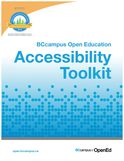
Canadian Provincial Standards and Resources In Ontario, Accessibility in teaching and learning, including in online and blended learning contexts, is governed by the standards set out in the Accessibility for Ontarians with Disabilities Act. (AODA). The Council of Ontario Universities provides a number of excellent resources to help you make your online teaching and learning resources are accessible to all learners, and AODA compliant: Other Canadian provinces are quickly catching up with the benchmarks set out by the AODA. In British Columbia, digital accessibility for online teaching and learning will be governed by the BC Accessibility 2024 .guidelines. BCampus recently published an Open Access eBook on how to make digital learning resources, such as eBooks, compliant with digital accessibility guidelines: More Resources

ReferencesAccessibility for Ontarians with Disabilities Act (2005, S.O. 2005, c. 11). Retrieved from https://www.ontario.ca/laws/statute/05a11
Berman, D. (2014, May 13). Web Accessibility Matters: Why Should We Care. [YouTube video]. Available from https://youtu.be/VIRx3RJzbZg College of the North Atlantic-Qatar (2018). [Web site]. Available from https://www.cna-qatar.com/ Coolidge, A., Doner, S., & Robertson, T. (2015). BCampus Open Education Accessibility Toolkit. [eBook]. Victoria, BC, Canada: BCampus. Available from https://opentextbc.ca/accessibilitytoolkit/ Council of Ontario Universities (2017a). Accessible Digital Documents & Websites. [Web page]. Accessible Campus. Available from http://www.accessiblecampus.ca/reference-library/accessible-digital-documents-websites/ (Links to an external site.) Council of Ontario Universities (2017b). Accessibility in E-Learning. [Web page]. Accessible Campus. Available from http://www.accessiblecampus.ca/tools-resources/educators-tool-kit/course-planning/accessibility-in-e-learning/ Described and Captioned Media Program (2018). Caption It Yourself. [Web page]. Available from https://dcmp.org/learn/213 Fraser Health (2018). [Website]. Available from https://www.fraserhealth.ca/ FutureLearn (n.d.). Digital Accessibility: Enabling Participation in the Information Society. [Massive Open Online Course]. Available from https://www.futurelearn.com/courses/digital-accessibility Interaction Design Foundation (2018). Web Fonts are Critical to the Online User Experience - Don’t Hurt Your Reader’s Eyes. [Web page]. Available from https://www.interaction-design.org/literature/article/web-fonts-are-critical-to-the-online-user-experience-don-t-hurt-your-reader-s-eyes The Paciello Group (n.d.). Colour Contrast Analyzer (CCA). [Web page]. Available from https://developer.paciellogroup.com/resources/contrastanalyser/ Mada (2017). Mada Assistive Technology Centre. [Web page]. Available from https://mada.org.qa/en/Pages/default.aspx Province of British Columbia (2014). Accessibility 2024: Making B.C. the most progressive province in Canada for people with disabilities by 2024. [PDF file]. Available from https://www2.gov.bc.ca/assets/gov/government/about-the-bc-government/accessible-bc/accessibility-2024/docs/accessibility2024_update_web.pdf Traxler, J. (2016). Inclusion in an age of mobility. Research In Learning Technology, 24. doi: http://dx.doi.org/10.3402/rlt.v24.31372 (Links to an external site.)Links to an external site. W3C (2016). Accessibility. [Web page] available from https://www.w3.org/standards/webdesign/accessibility I seem to have occasion to repost my most viewed blog post to date once every few months, as the discussions around blanket bans on mobile devices in schools rear their ugly heads once again. This time, it's talk from the newly elected Progressive Conservative government in Ontario, Canada, who are placing a blanket ban on mobiles on the table as part of their incoming platform (Flanagan, 2018). (A few months back, it was the blanket ban on cell phones in schools in France (Willsher, 2017).) So... here it is again... reposted here so that this March 2016 post from my old blog site, the xPat_Letters Blog, has a new home (and new context) here on the brand new Power Learning Blog. Ban First, Ask Questions Later... The Problem with Calls to Ban Mobile Devices (updated) (originally posted March 2, 2016) I read the article Schools that Ban Mobile Devices See Better Results on the bus this morning. It is from May 2015, but someone had reposted the @guardian piece to my @Twitter feed. From my perspective as a mobile learning researcher, it presented troubling research findings: "Effect of ban on phones adds up to equivalent of extra week of classes over a pupil’s school year" (Doward, 2015) But, they’re not troubling for the obvious reason presented in the story. The premise of the story (and the research on which it was based) was that mobile devices are distracting students to the level of significant lost instructional time. And if schools want to see better test scores, then they had better start banning mobile devices. No. This is not the problem. A blanket ban on mobile devices because they distract learners is just the latest in a centuries-old trend of resisting technological change out of fear of the unknown. Steve Howard (2012, July 14) pointed out that as far back as 1815 a school principal fought against the introduction of paper and ink, and lamented that: Students today depend on paper too much. They don’t know how to write on a slate without getting chalk dust all over themselves. They can’t clean a slate properly. What will they do when they run out of paper? If we want to leverage new technologies to enhance learning experiences and bridge current inequities in the classroom, then we cannot succumb to knee-jerk reactions to alarmist statistics. As Homer Simpson once said: What IS troubling with this story (and research) are the questions that were NOT asked. The research shows an increase in achievement across ALL schools that have banned mobile devices versus ALL schools that allow them. BUT, no attempt is made to look at schools that actually plan for mobile technology integration. It could be that the majority of the schools polled have no such plans, in which case the argument that mobile devices only serve to distract students is likely true. But what of schools that have coordinated their technological infrastructure and pedagogical strategies to leverage mobile devices within the curriculum? I have predicated my mobile learning research to date on the problem that teachers and schools are the barriers to effective integration of mobile technologies because they lack confidence in the technology. The problem is NOT that mobile devices are allowed into schools. The problem is that we are not preparing teachers and schools for an environment of ubiquitous access to technology. From my dissertation (Power, 2015, p. 11): Ally (2014) noted that teacher training continues to be based on an outdated education system model that does not adequately prepare teachers to integrate mobile technologies into teaching practice. Lack of training in the pedagogical considerations for the integration of a specific type of technology can have a negative impact upon teachers’ perceptions of self-efficacy (Kenny et al, 2010). Technology will never replace good teachers. But technology can make good teachers better. Better teacher (and school) preparation will enable educators to make instructional design decisions that incorporate technology, and increase student engagement and access to learning opportunities and resources. My research has shown that professional development focused on scaffolding technology integration in the context of desired learning outcomes and appropriate pedagogical decisions does increase teachers’ interest and confidence in using educational technology. If teachers are interested, and plan how they will leverage technology in the classroom, then distraction will decrease and learning will improve. However, preparing teachers to leverage educational technology is not enough. We must also prepare students. Yes, if you let students who have had no guidance access mobile devices, then there is huge potential for them to be distracted. But, if you teach them digital citizenship and responsible use, there is less likelihood of distraction. And they will be better prepared for a world with near universal technology permeation. You cannot teach digital citizenship or responsible technology use with black and white policies of either banning all devices, or letting them all in. Unfortunately, the information technology support departments (and bureaucracies) of too many school systems (and higher education institutions) still operate with Acceptable Use Policies, which explicitly detail what is permissible and what is not. In contrast, Responsible Use Policies focus on making appropriate decisions about when and how to use technology. (Joe Countryman, Mary-Ann Vardakas & Melissa Taffe did a presentation on this, and prepared a wikipage about it for a Problem-Based Learning activity in the Digital Tools for Knowledge Construction course I teach at University of Ontario Institute of Technology.) Before policy makers, or the public at large, jump to the conclusion that the statistics presented in the Guardian (and also on CNN) point to the need for an outright ban on mobile devices in education, a number of questions should be considered:

References
Ally, M. & Prieto-Blázquez, J. (2014). What is the future of mobile learning in education? Mobile Learning Applications in Higher Education [Special Section]. Revista de Universidad y Sociedad del Conocimiento (RUSC), 11(1), 142-151. doi http://doi.dx.org/10.7238/rusc.v11i1.2033 Countryman, J., Vardakas, M., & Taffe, M. (2016). Acceptable use policies. Retrieved from http://educ5101jmm.pbworks.com/w/page/104432989/PBL%201%20-%20Group%204%20-%20Acceptable%20Use%20Policies Doward, J. (2015, May 16). Schools that ban mobile phones see better academic results. The Guardian. Retrieved from http://www.theguardian.com/education/2015/may/16/schools-mobile-phones-academic-results Flanagan, R. (2018, May 30). PC platform includes ban on cellphones in schools. CTV News Kitchener. Retrieved from kitchener.ctvnews.ca/pc-platform-includes-ban-on-cellphones-in-classrooms-1.3952316#_gus&_gucid=&_gup=twitter&_gsc=Qi5DSUU Howard, S. (2012, July 14). The ruin of education in our country – A positive thing [Web log post]. Retrieved from https://stevehoward999.wordpress.com/2012/07/14/the-ruin-of-education-in-our-country-a-positive-thing/ Kenny, R.F., Park, C.L., Van Neste-Kenny, J.M.C., & Burton, P.A. (2010). Mobile self-efficacy in Canadian nursing education programs. In M. Montebello, V. Camilleri and A. Dingli (Eds.), Proceedings of mLearn 2010, the 9th World Conference on Mobile Learning, Valletta, Malta. METTL (2015). The Homer Simpson guide to online assessments [Web log post]. Retrieved from https://mettl.com/blog/2015/08/the-homer-simpson-guide-to-psychometric-assessments/ Power, R. (2015). A framework for promoting teacher self-efficacy with mobile reusable learning objects (Doctoral dissertation, Athabasca University). Available from http://hdl.handle.net/10791/63 Power, R. (2016, March 2). Ban First, Ask Questions Later... The Problem with Calls to Ban Mobile Devices. [Web log post]. The xPat_Letters Blog. Available from http://robpower74.blogspot.com/2016/03/ban-first-ask-questions-later-problem.html Willsher, K. (2017, December 11). France to ban mobile phones in schools from September. The Guardian. Retrieved from https://www.theguardian.com/world/2017/dec/11/france-to-ban-mobile-phones-in-schools-from-september |

AuthorRob Power, EdD, is an Assistant Professor of Education, an instructional developer, and educational technology, mLearning, and open, blended, and distributed learning specialist. Recent PostsCategories
All
Archives
June 2026
Older Posts from the xPat_Letters Blog
|
||||||||||||||||||||||||||


RSS Feed